Free
LKR 0/month
Start selling
- Products25
- Sales channels1
- Team seats1
Pricing
One charge for the software, no card to open a shop, and nothing taken from an order you settle yourself. Compare the plans line by line, then start on the one that fits this week.
Free
LKR 0/month
Start selling
Standard
LKR 3,000/month
+ 1% kodo fee on card payments
or LKR 30,000 /year — save LKR 6,000
Run a shop
Pro

LKR 8,000/month
+ 0.6% kodo fee on card payments
or LKR 80,000 /year — save LKR 16,000
Run a brand
Plans start free. See current pricing when you sign up.
Sign Up NowGo To Dashboard| Feature | Free | Standard | Pro |
|---|---|---|---|
| Your shop | |||
| ProductsHow many products the catalogue may hold | 25 | Unlimited | Unlimited |
| Sales channelsWhatsApp and Instagram inboxes connected at the same time | 1 | 2 | 2 |
| Team seatsPeople who can sign in to the store | 1 | 2 | 5 |
| Selling | |||
| Courier dispatch & labelsBook a courier pickup and print shipping labels from an order | Not included | Included | Included |
| Public order trackingA public page where a buyer can check their order status | Included | Included | Included |
| Discount codesCreate discount codes buyers can redeem at checkout | Included | Included | Included |
| TestimonialsSend review-request links and publish the replies | Included | Included | Included |
| Buyer order notificationsAutomatic email and WhatsApp updates to the buyer as an order moves | Included | Included | Included |
| Card payments in your storeConnect your own payment gateway — buyers pay by card without leaving your shop, and orders are marked paid automatically | Manual payment link | Automatic — paid at checkout+ 1% kodo fee on card payments | Automatic — paid at checkout+ 0.6% kodo fee on card payments |
| Miko | |||
| Miko suggestionsMiko drafts every reply for the seller to send | Included | Included | Included |
| Morning digestA morning email summarising what needs the seller today | Included | Included | Included |
| Miko AssistMiko sends its own replies on safe intents instead of holding a draft | Not included | Included | Included |
| Voice-note transcriptionTranscribe inbound voice notes so Miko can answer them | Not included | Included | Included |
| AI credits each monthCredits topped up on the first sweep of every calendar month | 200 | 2,500 | 5,000 |
| Storefront & brand | |||
| Advanced storefront sectionsCountdown, logo strip and testimonial sections | Not included | Included | Included |
| Custom domainConnect a domain the merchant owns to their storefront | Not included | Included | Included |
| Remove the kodo badgeHide the "powered by kodo" badge on the storefront | Not included | Not included | Included |
The kodo fee on card payments is added to your monthly bill — it is not deducted from the payment, which still settles from PayHere straight to your bank. PayHere charges its own transaction fee, which kodo neither sets nor collects. Orders you settle yourself carry no kodo fee on any plan.
Taking payments
A free shop can already be paid by card — you send the link and confirm it yourself. Connect your own PayHere account and the order does that part for you.
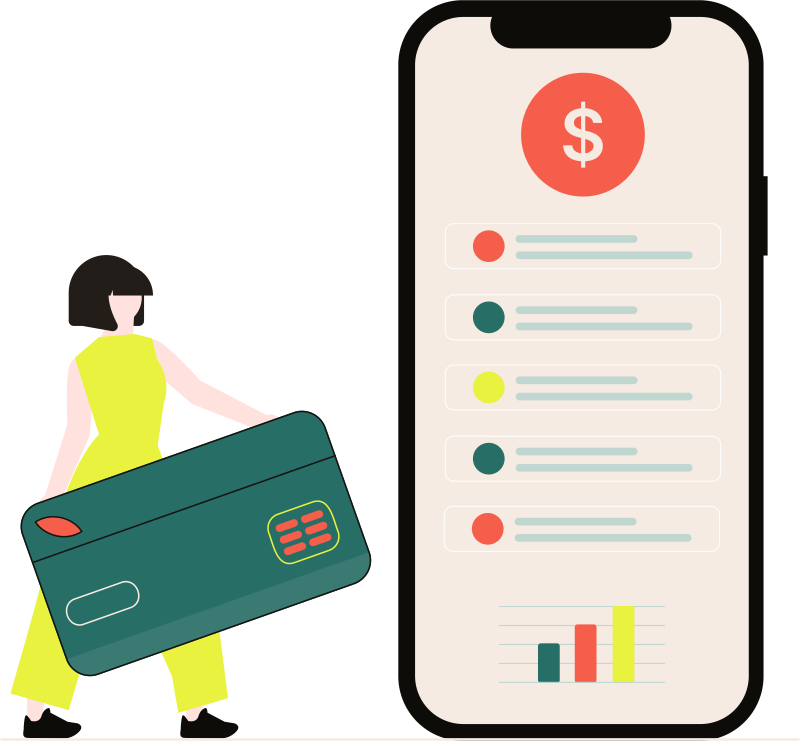
On the free plan
Generate a link in your gateway’s own portal, paste it into kodo and send it to the buyer. Real money, really paid — the confirming is the bit you do.
On the paid plans
Connect your own PayHere account once. Buyers pay by card without leaving your shop, and the order marks itself paid the moment PayHere confirms it.
Works with

Coming soon



Card payments need a custom domain, which the paid plans include. PayHere registers a merchant account against one specific domain, and a kodoshop subdomain cannot be registered because it is not yours — so the two come together rather than one at a time.
kodo charges a fee on the card payments you take through the built-in gateway. It is added to your monthly kodo bill — not deducted from the payment, which still settles from PayHere straight to your own bank. PayHere charges its own transaction fee on top, which kodo neither sets nor collects. Orders you settle yourself — a payment link, a bank transfer, cash on delivery — carry no kodo fee on any plan.
kodo's fee is Standard 1% and Pro 0.6%. A shop taking LKR 500,000 a month by card pays about LKR 2,000 less on Pro — the same card payments, a smaller line on the bill.
Yes. There is a free plan, and no card is needed to start on it. You can create your shop, add products and take real orders on it — it is a working shop, not a trial that expires.
Not out of the payment, no. kodo is never the merchant of record and never holds your money — it settles from the gateway straight to your own bank. What kodo charges is a fee on the card payments you take through the built-in gateway, worked out from completed payments and added to your monthly kodo bill. The rate is on each plan above and in the comparison. PayHere charges its own transaction fee separately, which kodo neither sets nor collects, and anything you settle yourself — a payment link, a bank transfer, cash on delivery — carries no kodo fee on any plan.
Yes, up or down, from your dashboard. Moving up applies straight away so you can do it in the middle of a busy week; moving down applies from your next billing date.
Where a plan offers a yearly price it costs less than paying for the same year month by month, and the card tells you exactly what the difference is. Use the monthly and yearly switch above the plans to compare them.
It is a feature that is built into the plan it sits on but has not shipped yet. It is listed so you can see where the plan is going rather than being surprised by it later — it is not part of what you are paying for today.
Nothing about your selling stops. Orders, customers and revenue are never capped on any plan, including the free one. The limits are on things like products, sales channels and team seats — reach one and the dashboard says so, and moving up a plan lifts it.
Start on the free plan, put real products in front of real customers, and move up the day the shop asks you to.