Free
LKR 0මාසිකව
Sell කරන්න පටන් ගන්න
- Products25
- Sales channels1
- Team seats1
මිල ගණන්
Software එකට විතරයි ගාස්තුවක් අය වෙන්නේ — ඔයා විකුණන ඒවගෙන් කොටසක් ගන්නේ නෑ, shop එකක් පටන් ගන්න card එකක් ඕනෙත් නෑ. Plans පේළියෙන් පේළිය සසඳලා, මේ සතියට ඔයාට වඩාත්ම ගැළපෙන plan එකෙන් පටන් ගන්න.
Free
LKR 0මාසිකව
Sell කරන්න පටන් ගන්න
Standard
LKR 3,000මාසිකව
+ card payments වලට 1% kodo fee එකක්
නැතහොත් අවුරුද්දටම LKR 30,000 — LKR 6,000 ක් ඉතිරියි
තමන්ගෙම Shop එකක්
Pro

LKR 8,000මාසිකව
+ card payments වලට 0.6% kodo fee එකක්
නැතහොත් අවුරුද්දටම LKR 80,000 — LKR 16,000 ක් ඉතිරියි
තමන්ගෙම Brand එකක්
Plans නොමිලේ පටන් ගන්න පුළුවන්. Sign up වෙනකොට දැනට තියෙන මිල ගණන් බලාගන්න.
දැන්ම Sign Up වෙන්නDashboard එකට යන්න| විශේෂාංගය | Free | Standard | Pro |
|---|---|---|---|
| ඔයාගේ shop එක | |||
| ProductsHow many products the catalogue may hold | 25 | සීමාවන් නැත | සීමාවන් නැත |
| Sales channelsWhatsApp and Instagram inboxes connected at the same time | 1 | 2 | 2 |
| Team seatsPeople who can sign in to the store | 1 | 2 | 5 |
| විකුණුම් (Selling) | |||
| Courier dispatch & labelsBook a courier pickup and print shipping labels from an order | ඇතුළත් නැත | ඇතුළත් | ඇතුළත් |
| Public order trackingA public page where a buyer can check their order status | ඇතුළත් | ඇතුළත් | ඇතුළත් |
| Discount codesCreate discount codes buyers can redeem at checkout | ඇතුළත් | ඇතුළත් | ඇතුළත් |
| TestimonialsSend review-request links and publish the replies | ඇතුළත් | ඇතුළත් | ඇතුළත් |
| Buyer order notificationsAutomatic email and WhatsApp updates to the buyer as an order moves | ඇතුළත් | ඇතුළත් | ඇතුළත් |
| Card payments in your storeConnect your own payment gateway — buyers pay by card without leaving your shop, and orders are marked paid automatically | Manual payment link | Automatic — checkout එකේදී ගෙවනවා+ card payments වලට 1% kodo fee එකක් | Automatic — checkout එකේදී ගෙවනවා+ card payments වලට 0.6% kodo fee එකක් |
| Miko | |||
| Miko suggestionsMiko drafts every reply for the seller to send | ඇතුළත් | ඇතුළත් | ඇතුළත් |
| Morning digestA morning email summarising what needs the seller today | ඇතුළත් | ඇතුළත් | ඇතුළත් |
| Miko AssistMiko sends its own replies on safe intents instead of holding a draft | ඇතුළත් නැත | ඇතුළත් | ඇතුළත් |
| Voice-note transcriptionTranscribe inbound voice notes so Miko can answer them | ඇතුළත් නැත | ඇතුළත් | ඇතුළත් |
| AI credits each monthCredits topped up on the first sweep of every calendar month | 200 | 2,500 | 5,000 |
| Storefront සහ brand එක | |||
| Advanced storefront sectionsCountdown, logo strip and testimonial sections | ඇතුළත් නැත | ඇතුළත් | ඇතුළත් |
| Custom domainConnect a domain the merchant owns to their storefront | ඇතුළත් නැත | ඇතුළත් | ඇතුළත් |
| Remove the kodo badgeHide the "powered by kodo" badge on the storefront | ඇතුළත් නැත | ඇතුළත් නැත | ඇතුළත් |
Card payments සඳහා වන kodo fee එක ඔයාගේ මාසික bill එකට එකතු වෙනවා — payment එකෙන් කපා ගන්නේ නෑ, සල්ලි PayHere හරහා කෙළින්ම ඔයාගේ bank එකටම එනවා. PayHere එකෙන් තමන්ගේම transaction fee එකක් අය කරනවා — ඒක kodo එකෙන් තීරණය කරන එකක්වත් එකතු කරන එකක්වත් නෙවෙයි. ඔයා තනියම settle කරන orders වලට කිසිම plan එකක kodo fee එකක් අය වෙන්නේ නෑ.
Payments ලබාගැනීම
Free shops වලට දැනටමත් card වලින් pay කරන්න පුළුවන් — ඔයාම link එක යවලා confirm කරන්නයි තියෙන්නේ. ඔයාගේම PayHere account එක connect කළාම order එකෙන්ම ඒ කොටස ඉබේම කෙරෙනවා.
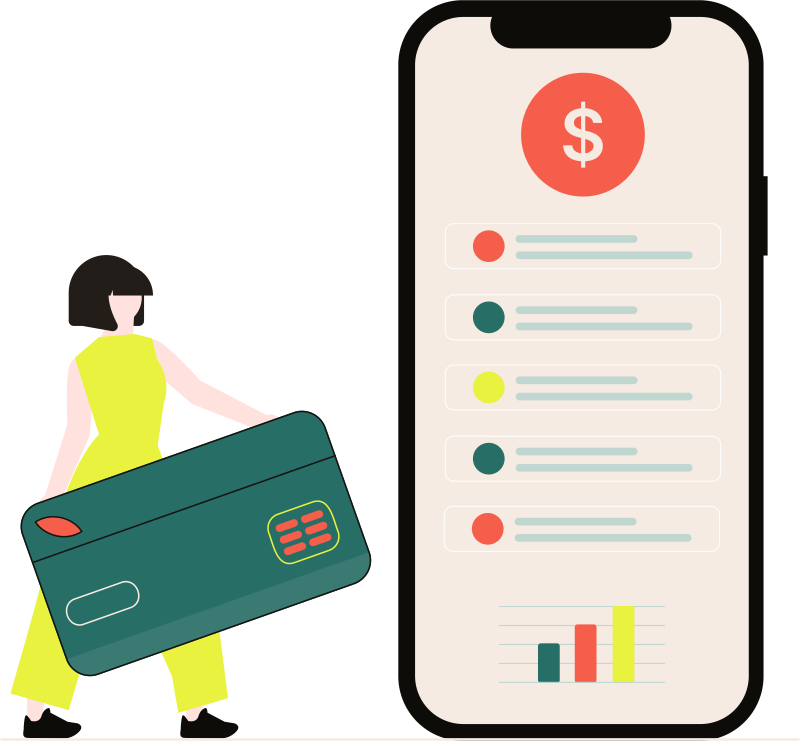
Free plan එකේදී
ඔයාගේ gateway portal එකෙන් link එකක් හදලා, ඒක kodo එකට paste කරලා buyer ට යවන්න. ඇත්තම සල්ලි, ඇත්තටම ලැබෙනවා — confirm කරන එක විතරයි ඔයා කරන්න ඕන.
Paid plans වලදී
ඔයාගේම PayHere account එක එක පාරක් connect කරන්න. Buyers ලා ඔයාගේ shop එකෙන් පිටතට යන්නේ නැතුව card එකෙන් ගෙවනවා, ඒ වගේම PayHere එකෙන් confirm කරපු ගමන් order එක ඉබේම paid කියලා mark වෙනවා.
Works with

ළඟදීම



PayHere හරහා card payments ගන්න නම් ඔයාට අනිවාර්යයෙන්ම තමන්ගේම කියලා custom domain එකක් තියෙන්න ඕනේ. ඒකට හේතුව, PayHere එකෙන් merchant account දෙන්නේ ඔයාටම අයිති domain එකකට විතරයි ('yourshop.kodoshop.lk' වගේ subdomains වලට ඒක දෙන්නේ නෑ). ඒ නිසා custom domain පහසුකම තියෙන kodo paid plan එකක් මේ සඳහා අනිවාර්ය වෙනවා.
ඔයාගේ shop එකේ built-in gateway එකෙන් වෙන card payments වලට kodo එකෙන් පොඩි fee එකක් අය කරනවා. හැබැයි මේක payment එකෙන් කපාගන්නේ නෑ, PayHere එකෙන් මුළු මුදලම කෙළින්ම ඔයාගේ බැංකුවටම එවනවා. kodo fee එක එකතු වෙන්නේ ඔයාගේ මාසික kodo බිලට විතරයි. (PayHere එකෙන් එයාලගේම කියලා වෙනම transaction fee එකක් අය කරනවා, ඒක kodo එකට අදාළ දෙයක් නෙවෙයි). විශේෂයෙන්ම කියන්න ඕනේ, ඔයාම manual විදිහට කරන payments වලට (Cash on delivery, bank transfer, payment links) kodo එකෙන් කිසිම fee එකක් අය කරන්නේ නෑ.
kodo fees: Standard plan එකට 1% සහ Pro plan එකට 0.6% විදිහටයි අය වෙන්නේ. උදාහරණයක් විදිහට, මාසෙකට රුපියල් ලක්ෂ 5ක (LKR 500,000) card payments ගන්න shop එකකට, Pro plan එක පාවිච්චි කළොත් ඒ payments ටිකටම මාසික බිලට රුපියල් 2,000ක් විතරයි එකතු වෙන්නෙ.
ඔව්. Free plan එකක් තියෙනවා, ඒකට පටන් ගන්න credit/debit card එකක් ඕනෙත් නෑ. Shop එක හදන්න, products දාන්න, ඇත්තටම orders ගන්න — ඒක කල් ඉකුත් වෙන trial එකක් නෙවෙයි, ඇත්තටම වැඩ කරන shop එකක්.
Payment එකෙන් කපා ගන්නේ නැහැ, නෑ. kodo කවදාවත් merchant of record වෙන්නේ නෑ වගේම ඔයාගේ සල්ලි තියාගන්නේ නෑ — සල්ලි gateway එක හරහා කෙළින්ම ඔයාගේ bank එකටම එනවා. kodo එකෙන් අය කරන්නේ built-in gateway එක හරහා ඔයා ලබාගන්නා card payments සඳහා වන fee එකක් විතරයි, ඒක සාර්ථක වුණු payments වලින් ගණනය කරලා ඔයාගේ මාසික kodo bill එකට එකතු වෙනවා. ඒ ගාස්තු ප්රතිශතය උඩ තියෙන හැම plan එකකම සහ comparison එකේ පෙන්වා දීලා තියෙනවා. PayHere එකෙන් තමන්ගේම transaction fee එකක් වෙනම අය කරනවා — ඒක kodo එකෙන් තීරණය කරන එකක්වත් එකතු කරන එකක්වත් නෙවෙයි, ඒ වගේම ඔයා තනියම settle කරන ඕනෑම දෙයකට — payment link, bank transfer, cash on delivery — කිසිම plan එකක kodo fee එකක් අය වෙන්නේ නෑ.
ඔව්, dashboard එකෙන් ඕනෑම වෙලාවක higher plan එකකට හෝ lower plan එකකට මාරු වෙන්න පුළුවන්. Higher plan එකකට යනකොට ඒ වෙලාවෙම ඒක active වෙනවා (වැඩ වැඩි සතියක වුණත් කරන්න පුළුවන්). Lower plan එකකට යනකොට ඒක ඊළඟ billing date එකේ සිට බලපැවැත්වෙනවා.
වාර්ෂික ගෙවීමක් සහිත ඕනෑම plan එකක, මාසෙන් මාසෙට ගෙවනවාට වඩා අවුරුද්දටම ගෙවන එක ලාභයි. ඒ ඉතිරි වන ගණන card එකේ පැහැදිලිවම පෙන්වනවා. Plans වලට උඩින් තියෙන Monthly / Yearly switch එකෙන් ඒ දෙක සසඳලා බලන්න.
ඒ කියන්නේ ඒ plan එකට අදාළව ඉදිරියට එකතු වෙන්න තියෙන විශේෂාංගයක්. Plan එකේ ඉදිරි දියුණුව ගැන ඔයාට අදහසක් ගන්නයි ඒක දාලා තියෙන්නේ — ඒක අද ඔයා ගෙවන මුදලට අදාළ කොටසක් නෙවෙයි.
ඔයාගේ selling නතර වෙන්නේ නෑ! Free plan එක ඇතුළුව කිසිම plan එකක orders, customers, හෝ revenue වලට සීමාවන් නෑ. සීමාවන් තියෙන්නේ products ගණන, sales channels, සහ team seats වගේ දේවල් වලටයි. Limit එකකට ආවම dashboard එකෙන් ඒක කියනවා, higher plan එකකට මාරු වුණාම ඒ සීමාවන් නැති වෙනවා.
Free plan එකෙන් පටන් අරන්, ඇත්තම customers ලාට ඇත්තම products පෙන්වන්න. Shop එක ලොකු වෙන දවසට plan එක මාරු කරගන්න.